Protection Macros
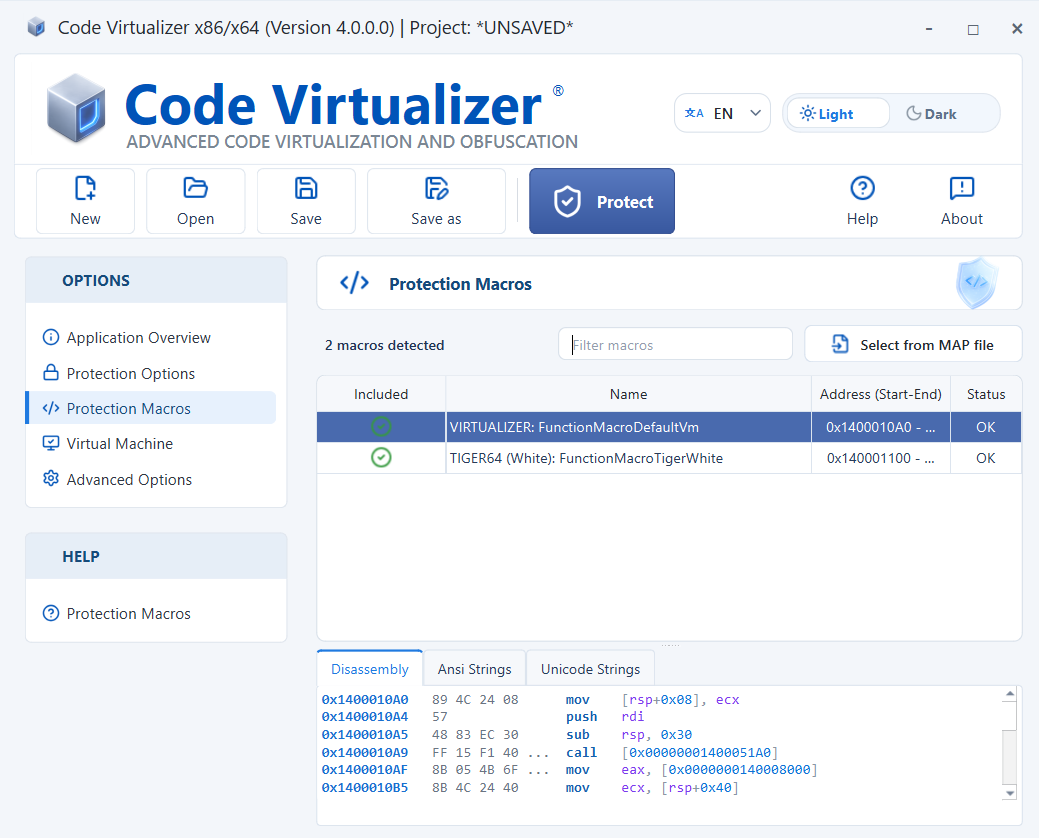
The Protection Macros panel lists every detected macro together with its address and status. Use Filter macros to narrow the list, and use the Included column to include or exclude individual blocks.
Select a macro to inspect its code in the Disassembly tab and its referenced strings in the Ansi Strings and Unicode Strings tabs. Use Encrypt Strings in VM macros under Protection Options to protect those strings.
Excluding individual blocks is useful for identifying a block that changes application behavior or causes an exception.
Inserting Macros from a MAP file
Select Select from MAP file to open the Select Function dialog. Filter the list if necessary, choose the functions to include, and then select Add Functions. The bottom of the dialog shows both the total number of functions and the number currently included.
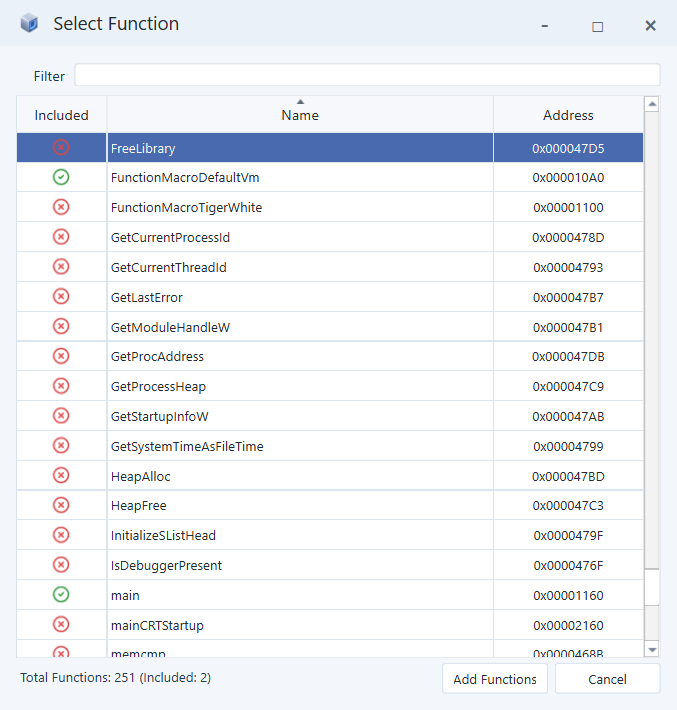
By default, imported functions use the generic VM macro. To assign a specific Virtual Machine:
-
In the Protection Macros panel, right-click the specific macro.
-
Select Assign ->, and then choose the desired Virtual Machine.